

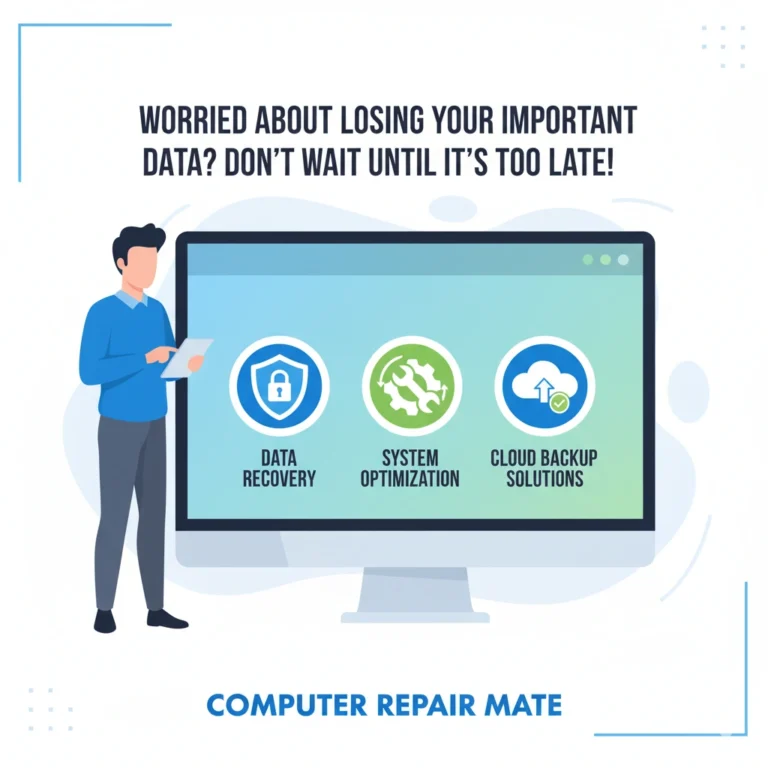
Worried About Losing Your Important Data? Don’t Wait Until It’s Too Late!
Protect your files with Data Backup Geelong — fast, secure, and stress-free service by Computer Repair Mate. Book now to keep your data safe and your devices running smoothly!
Search Your Problem
Data Backup Geelong Services – Computer Repair Mate Geelong
At Computer Repair Mate, we offer comprehensive data backup and data transfer services designed to keep your data safe and ensure a smooth transition to new devices.
Data Backups (Local & Cloud)
We provide a wide range of backup solutions to meet your needs, from simple local backups to robust cloud storage systems.
Local Backup
External hard drives or NAS devices for local data backup solutions.
Cloud Backup
Store your data securely in the cloud for easy access and protection against physical damage or theft.
Hybrid Backup
Combine the power of local and cloud backups for optimal redundancy.
NAS Backups
Set up a Network Attached Storage (NAS) system for a centralized backup solution.
Tape Backups
Long-term storage option for businesses that need to keep data archived for years.
Disaster Recovery as a Service
Cloud-based solutions to help businesses quickly recover data after a disaster.
Backup as a Service (BaaS)
Flexible cloud-based backup solutions that grow with your business.
Full Backups
A complete copy of your data, ensuring everything is protected.
Differential Backups
Backup only the changes made since your last full backup.
Incremental Backups
Save storage space by backing up only the new changes after the last incremental backup.
Mirror Backups
Create an exact mirror image of your data for quick, easy recovery.
Data Transfers (PC, Mac & Mobile)
When upgrading or migrating to a new device, we ensure your data transfers smoothly with no loss or issues.
Data Recovery (If Something Goes Wrong)
Sometimes, data loss happens even with the best precautions. If you experience an unexpected failure, our data recovery services can help restore your important files.
Our Data Backup Process (Step-by-Step)
We’ve developed a straightforward, reliable process to ensure your data is securely backed up and ready for transfer when needed.
Step 1 – Assessing Your Data
Our technicians perform an in-depth evaluation of your data storage needs and choose the best backup solution.
Step 2 – Developing a Backup Strategy
We tailor a backup plan that fits your data volume, backup frequency, and specific requirements, whether you need a cloud solution or local backup.
Step 3 – Implementation
We set up your data backup system, ensuring that it’s automated, secure, and reliable.
Step 4 – Testing & Monitoring
After implementation, we test your backups to ensure everything is functioning properly and monitor your system to catch any issues early.
Step 5 – Maintenance & Disaster Recovery Planning
Ongoing maintenance of your backup system and a solid disaster recovery plan ensure your data is always protected and easily recoverable.
Industry-Specific Backup & Transfer Solutions
We offer customized backup and transfer solutions based on your specific needs.
For Home Users
Whether you need personal data backups or a simple file transfer between devices, we offer easy, secure solutions.
For Small Businesses
Small businesses require tailored backup solutions to ensure their customer data, financial records, and files are always protected.
For Enterprises & Corporates
We provide enterprise-level data backup solutions with advanced disaster recovery services to meet the high demands of large businesses and corporations.
Why Choose Us?
At Computer Repair Mate, we provide secure, scalable, and efficient backup and transfer solutions for all your needs.
Secure Data Storage
We ensure your data is stored safely using encrypted cloud storage and secure local options.
Scalable Storage Capacity
Our backup solutions grow with your needs, offering flexible storage options for personal, small business, or enterprise use.
Automated Backup Options
Set up automated backups to save time and ensure your data is always protected without manual intervention.
Disaster Recovery Planning
We help businesses develop disaster recovery plans to ensure data can be quickly restored after a system failure or disaster.
Fixed Pricing & Same-Day Service
We offer fixed pricing with no hidden costs and same-day service for your convenience.
No Fix, No Fee Guarantee
If we can’t recover your data, you don’t pay.
Handy Tips for Secure Data Backup
Use Automatic Backups
Automate your backup process to ensure your files are regularly updated without manual effort.
Secure Your Backups with Encryption
Encrypt your backups for an additional layer of security, ensuring your data stays safe.
Check Backups Regularly
Ensure your backups are working properly by checking them regularly for consistency and reliability.
Data Backup & Transfer Costs & Timeframe
How Much Does It Cost?
The cost of data backup and transfer services depends on the type of backup solution and the amount of data you need. Contact us for a free quote tailored to your specific needs.
How Long Do Transfers Take?
The time required for data transfers depends on the amount of data and the complexity of the process. Our team will give you an estimated timeframe before starting.
Factors Affecting Cost & Speed
Factors such as the size of your data, type of transfer, and backup method can affect both cost and transfer speed.
What is Data Backup & Transfer?
In today’s digital world, data is invaluable. Losing it can lead to irreversible damage, whether it’s personal photos, important documents, or critical business files. Data backup and transfer services are essential for keeping your information safe and ensuring seamless transitions between devices.
Why Data Backup is Important
Data loss is one of the most common and costly problems that can happen to anyone, from individuals to businesses. Regular data backups ensure that, even in the event of a hard drive failure, accidental deletion, or other unforeseen incidents, your files remain protected. A reliable backup system means peace of mind knowing that your data is secure and recoverable at any time.
Common Situations of Data Loss & Transfer Needs
Hard Drive Failures
Unexpected crashes can result in permanent data loss.
Device Upgrades
When upgrading to a new computer, phone, or tablet, transferring data without losing anything is crucial.
Accidental Deletion
Files may be deleted unintentionally, and backups are the best way to recover them.
System Crashes
If your system crashes, having a backup ensures you can restore everything quickly.
Disasters & Theft
Natural disasters, theft, or fire can destroy physical data storage. Cloud backups offer a solution.
Customer Support & Locations
We provide backup setup services at your home or office. Serving all suburbs in Geelong, we are committed to providing fast, reliable support to our local community.
Contact Our Experts
If you have any questions or need a consultation, our friendly experts are just a call away.